

WiFi Security Camera Product Photography
- Published:
- 2020-09-09 14:32:09
- Lead Photographer:
- June (Product Photography Team Lead)
- Source:
- AIMI Visual Media Co., Ltd.
- Last Updated:
- 2026-09-16 23:47:00
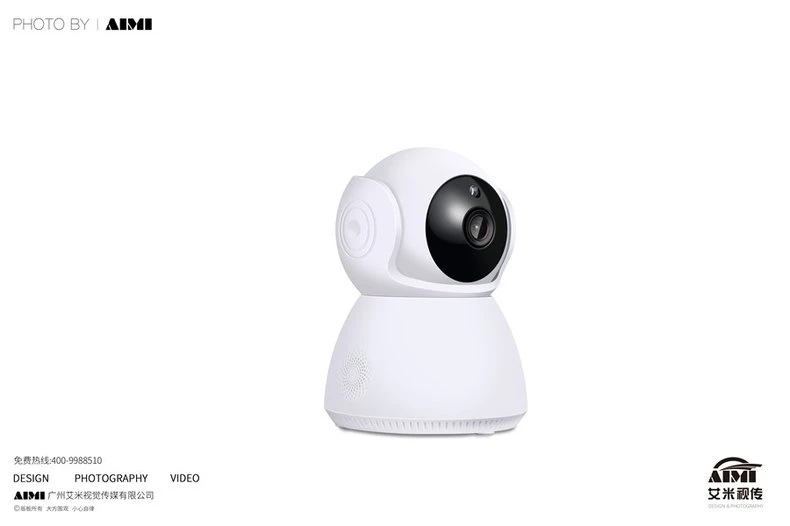
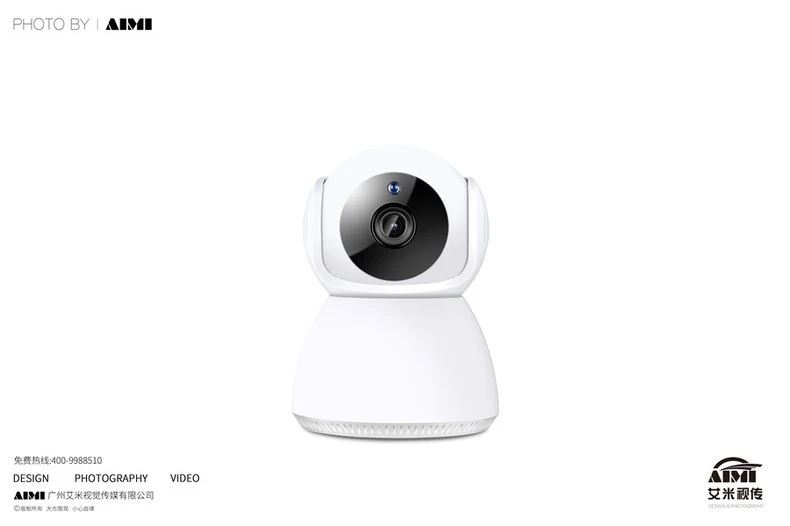
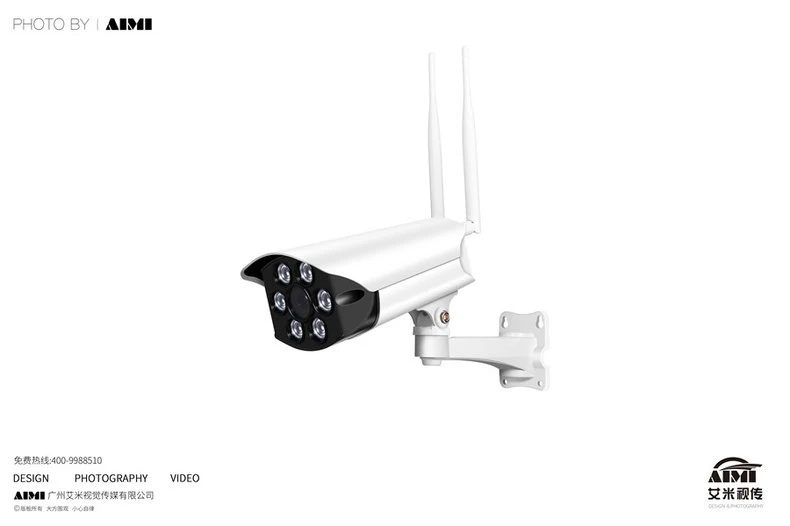
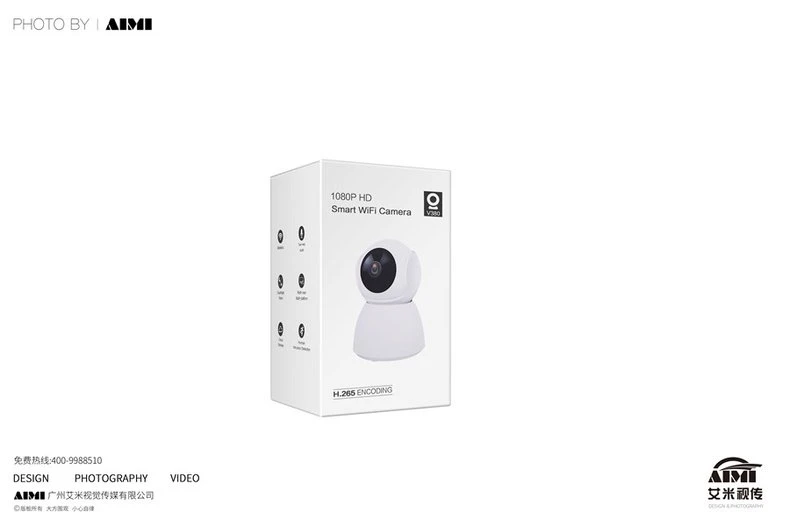
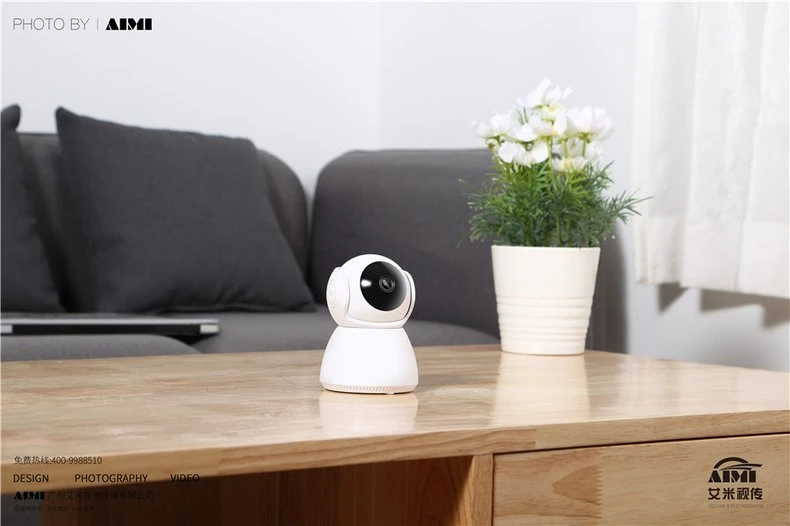
Five frames for a WiFi camera line: the indoor pan-tilt unit in two angles, the outdoor bullet with its antennas, the retail box, and a living-room scene that shows the camera exactly where it will live after purchase in a family home.
▶ View full project details, specifications & FAQ
Security cameras split between spec buyers and home buyers. The packshots cover the specs: lens faceplate, speaker ring, antennas, mount, and the box with its feature icons. The final frame stages the indoor unit on a side table next to a sofa and plant, selling the unalarming home presence that the white-background frames cannot.
| Project Overview | |
|---|---|
| Product type | Indoor pan-tilt and outdoor bullet WiFi cameras |
| Deliverables | Four packshots plus one lifestyle scene |
| Shoot location | AIMI studio, Guangzhou |
| Styling | Seamless white; styled living-room set |
| Usage | Marketplace gallery, retail packaging page and ads |
Photography Challenges
1. White product, white world. The indoor camera is gloss white, and so is the background it must stand out from. Edge reflections and a soft contact shadow were shaped per frame so the housing reads as a designed object instead of a white blob.
2. The lens has to read as a lens. A camera product lives or dies on its glass. A small controlled reflection was placed on the lens dome so it reads as optical glass, not a black sticker.
3. Home scene without the alarm. A security device in a home set can feel surveillance-creepy fast. Warm daylight, soft furnishings and the camera placed low and casual keep the scene reassuring rather than watchful.
Our Approach
Spec-then-scene structure
Four disciplined packshots cover hardware and packaging first; the lifestyle frame closes the gallery by showing the product at home. Marketplace slots were mapped before the shoot.
Glass-first lens discipline
The lens dome got its own reflection management in every frame. For camera products, the lens is the logo.
Reassuring set design
The living-room set was styled warm and ordinary on purpose: the camera sits in the scene like a speaker or a clock, which is how buyers want to feel about it.
"A home security product must look competent in the packshot and harmless in the home. Both are design problems, and the gallery fails if either frame type is missing." — June, Product Photography Team Lead
| Technical Specifications | |
|---|---|
| Camera | Full-frame mirrorless, 50-85mm equivalents |
| Lighting | Edge control for white-on-white; lens reflections placed |
| Set | Styled living-room scene for the closing frame |
| Coverage | Hardware, outdoor unit, packaging, scene |
| Output | Web-resolution masters, five-frame gallery |
Frequently Asked Questions
Can you shoot both hardware and lifestyle for one product?
Yes, in one session. Packshots cover the hardware and box; a styled scene shows the product in use. We map frames to your listing slots so nothing is duplicated or missing.
How do you photograph white products on white?
With edge reflections and a groomed contact shadow. The housing stays bright and true while its silhouette stays drawn, so the product separates from the background cleanly.
Do you photograph retail packaging?
Yes. The box frame belongs in the gallery: it carries the feature icons and tells retail buyers the product is shelf-ready. We shoot it under the same plan as the hardware.
A device that must look smart and safe?
Send the line. We will cover the hardware, the box and the home scene in one session, each frame doing a different job.
Get a Free Custom Quote View More Electronics CasesRelated services: Amazon FBA Photography · Near-Factory Photography
Related cases: Smart Door Lock Product Photography · AI Companion Robot Product Photography · Ultra-Slim Robot Vacuum Photography
 Photography Insights
●Amazon Product Photography Requirements, Tips and How to Get It Done in China
- Amazon image rules for electronics listings: white main image, slot order and infographic limits.
●10 Product Photography Tips That Boost E-commerce Sales
- Ten image tips that lift conversion, from reflective-surface control to consistent SKU color.
●Amazon Product Photography Cost Guide 2026
- Realistic budget ranges for electronics photography, from white-background packs to lifestyle sets.
●How to Choose an Amazon Product Photography Service: A 12-Point Checklist for Sellers, Brand Owners, and Ecommerce Teams
- Twelve questions to ask before booking, including how a studio handles chrome, glass and glowing screens.
●Flat Lay Photography: Complete Guide for Beginners
- Flat lay fundamentals for tech accessories: spacing templates, surface choice and edge control.